Short answer
Search the keyword in the country and language your buyers use, find your site in the first 20 organic results, and note the position and the page that ranked. Repeat each week and compare. A rank tracker runs the search and keeps the history for you.
Steps
- 1Pick the keywordsChoose keywords a buyer would type, each with a page on your site that answers it.
- 2Set the country and languageRankings differ by market. Check in the country and language you sell to, not where you sit.
- 3Read the organic resultsSkip ads and map packs. Note the first result from your domain, its position, and its URL.
- 4Save the result with the dateOne number means little on its own. Keep every check so this week sits next to last week.
- 5Repeat on a scheduleWeekly is enough for most sites. Check again after you change the page.
Why your own search is a bad measure
When you search from your own browser, Google uses your location, your language, and what you clicked before. A site you visit often can look higher to you than it does to a buyer in another city. Two habits fix most of this:
- Open a private window, so your history does not steer the results.
- Search in the market you sell to. A shop in Jakarta that sells to Indonesia should check Google Indonesia in Indonesian, even if the owner works in English.
Even then, results shift between checks. A single look tells you roughly where you are. The trend over several weeks tells you whether a change worked.
Where to look on the page
A results page mixes several kinds of result. Only some of them count as a ranking:
| On the page | Counts as a position? |
|---|---|
| Ads marked Sponsored | No |
| Map pack and local results | No, they are ranked separately |
| People also ask boxes | No |
| Blue organic links | Yes |
Count the organic links from the top. The first one from your domain is your position. Write down the URL too. If Google shows your blog post one week and your product page the next, the number may stay the same while the page behind it changed, and that matters when you decide what to improve.
How far down to read
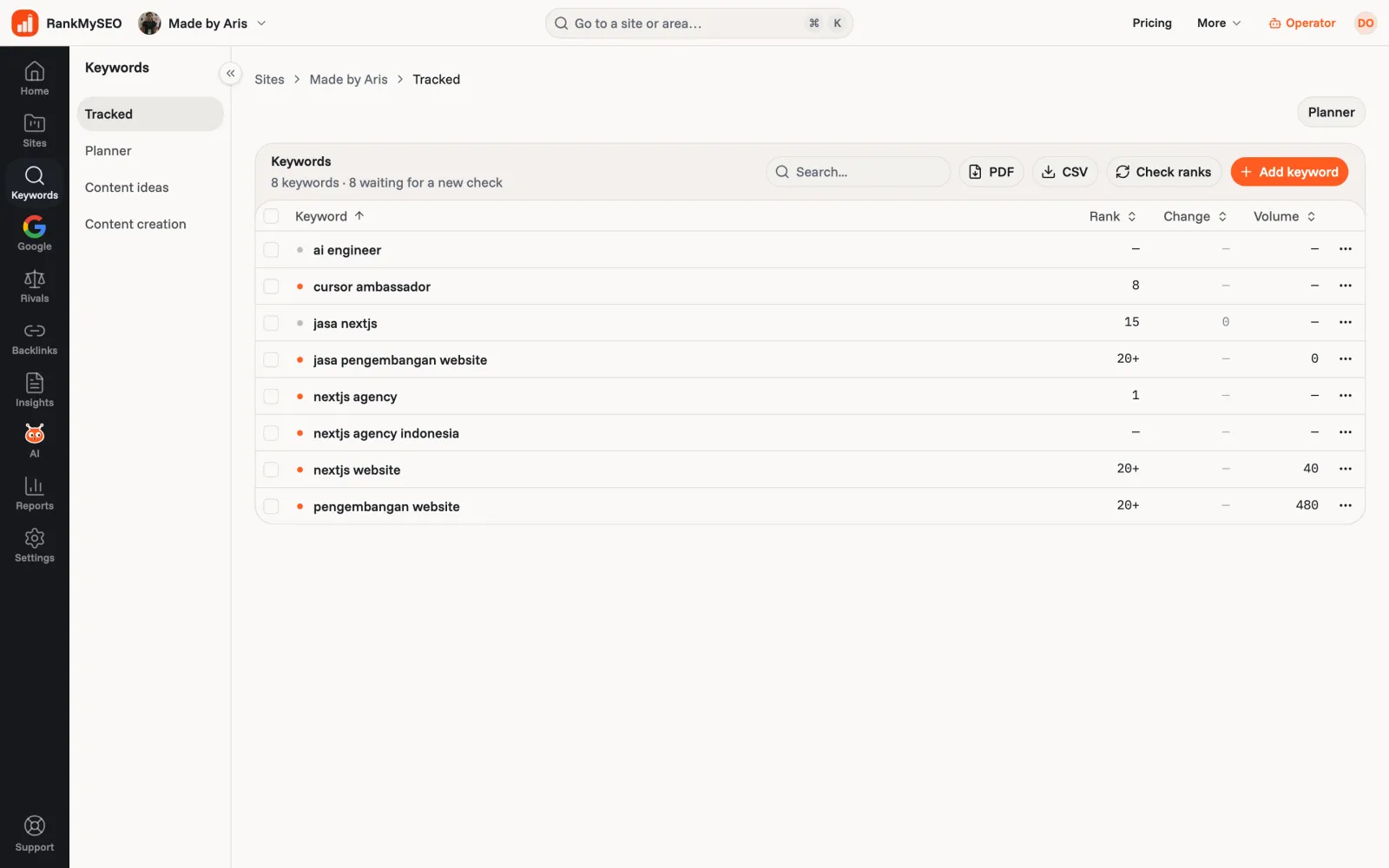
Most clicks go to the first page. Past the second page there is little traffic and the numbers get noisy. RankMySEO reads the first 20 organic results and shows 20+ when your site is further down, so you are not chasing a position 47 that moves to 61 for no reason.
How often to check
Weekly is enough for most sites. Rankings move a few places from day to day without anything changing on your side, and checking every morning mostly shows that noise. Check again after you change a page, publish something new, or see a traffic drop in Search Console.
If a keyword moved and you want to know why, the next guide walks through the usual causes: why your Google rankings changed.
When to use a tracker instead
Checking by hand works for three or four keywords. After that the note-taking becomes the job. A rank tracker runs the same search in the same country and language each time, records the position and the URL, and keeps every result so you can read the history. What is rank tracker software covers the idea in more depth.
Search Console also shows positions, but as an average across every query and location that found you. It answers a different question, which Search Console vs a rank tracker explains.
How to use a rank tracker
- Add your site and set the country and language your buyers search in. In RankMySEO that is under Settings.
- Add 3 to 10 keywords, each with a page you want to rank. Paste them, or let Auto-add suggest them on Starter and above.
- Wait for the first check, or press Check ranks for a look now. Adding a keyword does not check it by itself.
- Read the history, not the latest number. Open a keyword to see its chart and the URL that ranked each week.
- Change one thing, then watch. Update a page, note the date, and compare the next few checks.
Every plan checks weekly. The free plan covers one site and three keywords.