
Keyword rank tracker
Keyword rank tracker for Google, with the history kept
Add a site and the keywords you care about. We check the first 20 Google results every week, save the position and the page that ranked, and draw the chart, so you can tell whether a post moved.
- First 20 Google organic results
- The page that ranked, next to the number
- Country and language set per site
- A weekly check on every plan
- Check ranks asks for an early check on any plan.
- 14 days of history on Free, 10 years on Scale
Inside the keyword list
Rank tracker features you use every week
These are the three things you do most in the keyword list.
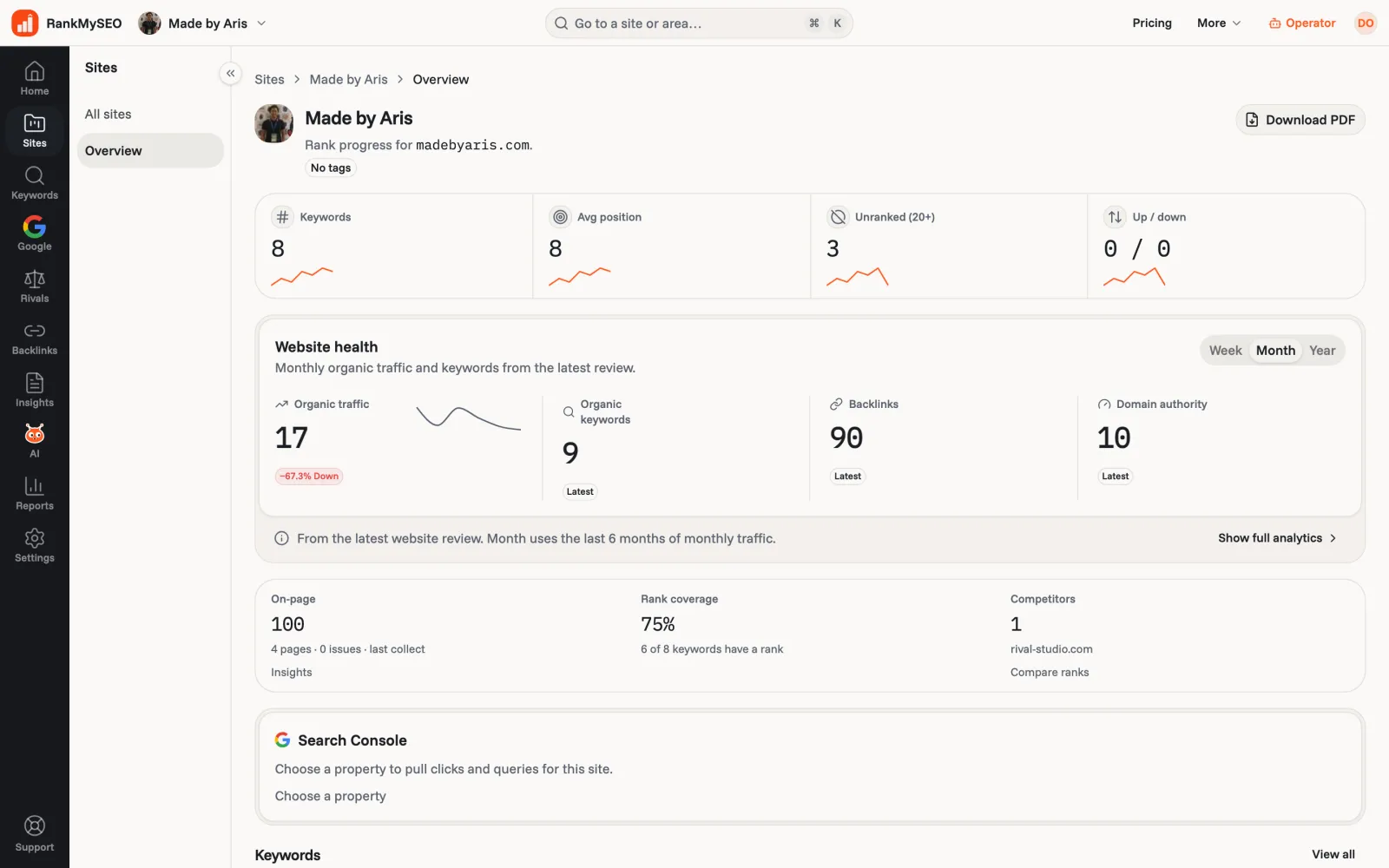
The real screen
What a site looks like once the checks start
Keyword count, average position, and how many keywords sit past 20, with traffic, backlinks, on-page score, and competitors on the same page.
How far we look
The first 20 results, and the page that ranked
Each check reads Google's first twenty organic results for the keyword, in the site's country and language. We store the position and the URL. If your site is not in that set, the row reads 20+ rather than a guess.
- Organic results only. We do not store Bing, the map pack, or a separate phone ranking.
- When Google swaps which of your pages it returns, the URL column shows the change.
- Positions past 20 rarely change what you do next, and reading deeper would raise every plan's price.
Country and language
Checked where your customers search
Country and language sit on the site. A .id domain is checked in Indonesia unless you change it, and new keywords copy the site's setting. An agency sets it per client.
Start
Your first chart in three steps
- 1
Add the site
Type the domain. We set the country from it, and you can change it in Settings. - 2
Add keywords
Paste a list, one per line. On Starter and above, Auto-add can suggest them from a review of the site. - 3
Read the chart
Press Check ranks for a first reading, or wait for the weekly check. Every check adds a point to the keyword's chart.
Around the rank list
The rest of the toolkit reads the same site
- StarterCompetitor trackingRank compare, the keyword gap, and traffic next to each other.Explore
- On-page auditA scored list of what is hurting the site, with the URLs behind each issue.Explore
- StarterBacklink reviewWhich sites link to yours, what you won or lost, and what to disavow.Explore
- GrowthDaily rank trackingHow the limited daily queue works on Growth and above.Explore
- AI assistantsAsk Cursor, Claude, or ChatGPT about your ranks over MCP.Explore
- Free rank trackerOne site and three keywords, with no card.Explore
Guides
Learn to read a rank chart
- How to check keyword rankingsWhy a private browser window still lies to you, and what to use instead.Read the guide
- Why rankings changeThe usual reasons a keyword drops or jumps between two checks.Read the guide
- SEO glossarySERP, referring domain, disavow, and the other words on these pages.Read the guide
Questions people ask
- Why does my browser show a different position?
- Google changes results by location, by device, and for signed-in users. A check here asks for the site's country and language with no personal history, so it is the number most strangers in that country would see.
- Do you track mobile rankings separately?
- No. Each check stores one organic position per keyword.
- How many keywords can I track?
- From 3 on Free to 120 on Scale, counted across the account. Pricing lists every rung.
- Can an AI assistant read my ranks?
- Yes. Connect Cursor, Claude, or ChatGPT to our MCP server and ask. It reads the same history you see here. The setup page has the steps.
Track three keywords for free
One site, a weekly check, and the last 14 days on the chart. No card.