
Query fan-out is a search retrieval method where a system breaks one prompt into multiple sub-queries to gather facts from different angles. Instead of scanning for pages that only match a single phrase, the search system decomposes the query into related sub-topics and collects sources for each part. On 12 November 2026 (US time), Google made Gemini 4 Hydrogen the default model in Google Search AI Mode. Google stated that this model splits user questions into more sub-queries through query fan-out, though Google shared no specific numbers or citation percentages.
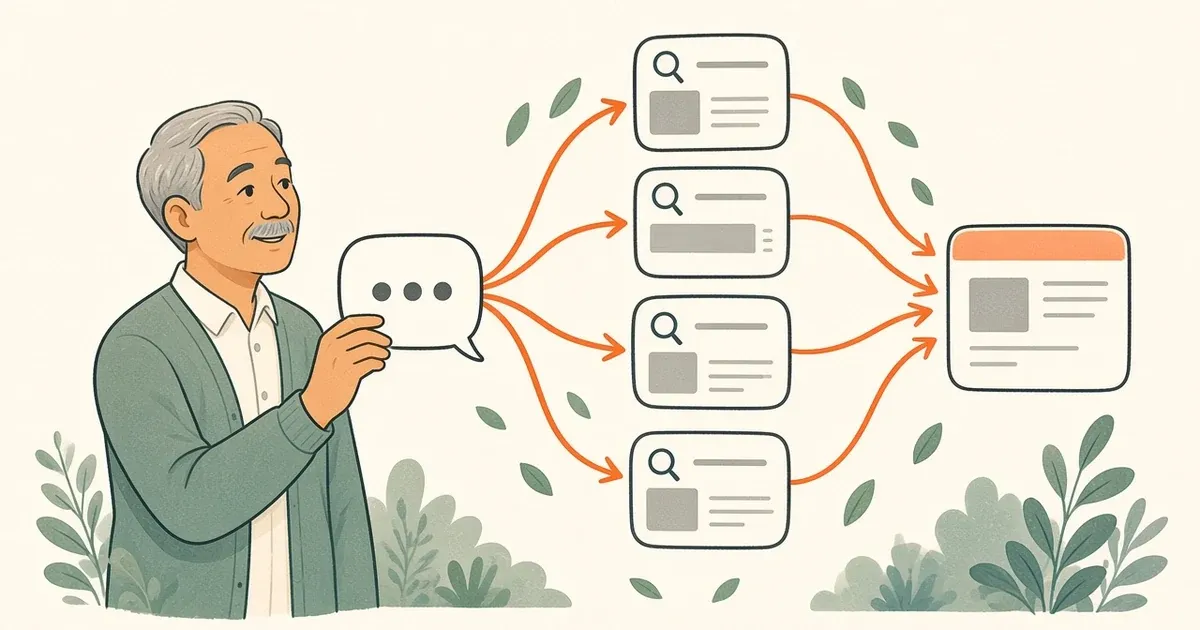
How query fan-out works in search
When a user enters a complex question, a retrieval system rarely finds every required detail in one document. Fan-out addresses this limitation by producing secondary searches in the background.
For example, someone asks for advice on rank tracking software for a remote team. The system might fan out into separate searches: one for software pricing, one for user seat limits, and one for rank update frequency. The engine runs these sub-queries simultaneously, evaluates the retrieved documents, and synthesizes the information into a single answer.
Understanding this process helps you plan articles that address the full breadth of a topic rather than focusing on one narrow phrase.
What you need before organizing sub-queries
Before grouping questions for a new page or updating an older piece of content, gather these essentials:
- A clear core topic or seed term representing your customer's primary intent.
- A blank document or outline sheet to categorize questions.
- Access to a keyword planner to check real monthly search volumes.
- An outline structure that uses clear descriptive headings.
Steps to group questions for a page
Building pages that satisfy decomposed queries requires a clear editorial workflow. Follow these four steps when you plan a page.
1. Identify the core search intent
Determine the primary problem your visitor wants to solve. If your topic is rank tracking, decide whether the reader wants a quick definition, a software comparison, or step-by-step setup guidance. Defining this intent early prevents your article from wandering into unrelated territory.
2. Generate pattern-based sub-query clusters
Next, expand your seed phrase into natural question patterns. You can do this manually or run your seed term through our fan-out mapper.
The fan-out mapper groups the searches around one keyword. The first six groups ask what, who, where, when, why, and how. The next six ask what it costs, what to compare it with, which tool checks it, and what goes wrong. The tool removes near-duplicates, so one page does not answer the same search twice. It builds these searches from patterns in your keyword. It does not read Google, and it does not show search volume.
3. Check search volume and filter terms
Do not assume every generated variation deserves equal weight. Take the grouped questions and check their actual search interest in a keyword planner.
4. Organize sub-topics into a logical outline
Once you have verified which questions have search volume, organize them into sections. Group closely related questions under a single heading instead of creating fragmented paragraphs.
For example, take the seed keyword "rank tracker". Instead of one generic overview, map the sub-queries into three clusters: pricing tiers, daily versus weekly tracking, and competitor comparison features. Answering these sub-topics in dedicated sections allows a page to satisfy users looking for basic setup details as well as readers comparing feature limits.
Common mistakes when mapping sub-queries
Watch out for these three pitfalls:
Treating pattern mappers as Google internal logs. Pattern tools group linguistic variations based on language rules. They do not reveal the exact proprietary sub-queries processed inside Google AI Mode.
Publishing thin pages for every question. If you map twenty related sub-questions, do not publish twenty separate short articles. Write one thorough page that answers several connected points, not many thin posts that repeat the same background details.
Writing content without volume checks. Just because a question fits a logical category does not mean customers search for it. Always check search interest before dedicating resources to an angle.
Frequently asked questions
Can you see the exact sub-queries Google creates in AI Mode?
Google does not publish the exact internal sub-queries generated during an AI Mode search session. While Google confirmed that Gemini 4 Hydrogen expands queries into more sub-queries, the system handles that breakdown internally without exposing figures or logs. You can anticipate the topics a search engine needs to answer by breaking your primary subject into logical question categories, but no public tool displays Google's real-time internal query list.
Does RankMySEO report rankings in Google AI Overviews?
No. Track AI checks ChatGPT and Gemini. It does not report Google AI Overviews or Perplexity.
Should each sub-query get its own standalone article?
In most cases, related sub-queries belong on a single detailed page rather than dozens of tiny posts. When a search engine splits a prompt, it gathers answers to synthesize a complete response. Answer the core question and the expected sub-topics, such as costs, comparisons, and practical steps, on that one page.
Open the fan-out mapper, map one customer question, and check volume in your keyword planner before you write or track those terms.
Keep reading