
You published an article for a keyword that matters to your business. A few weeks later, you search Google and cannot find the page. You try a different keyword and scroll through more results. Has the article failed to appear, or are you checking a different search from the one you wrote it for?
When you sit down to work on the site, you still have a decision to make: revise that article or write another one? A record of the keyword, position, and page that appears gives you something to investigate before starting. This article uses Search Console and RankMySEO examples to show how to read that record and choose your next task.

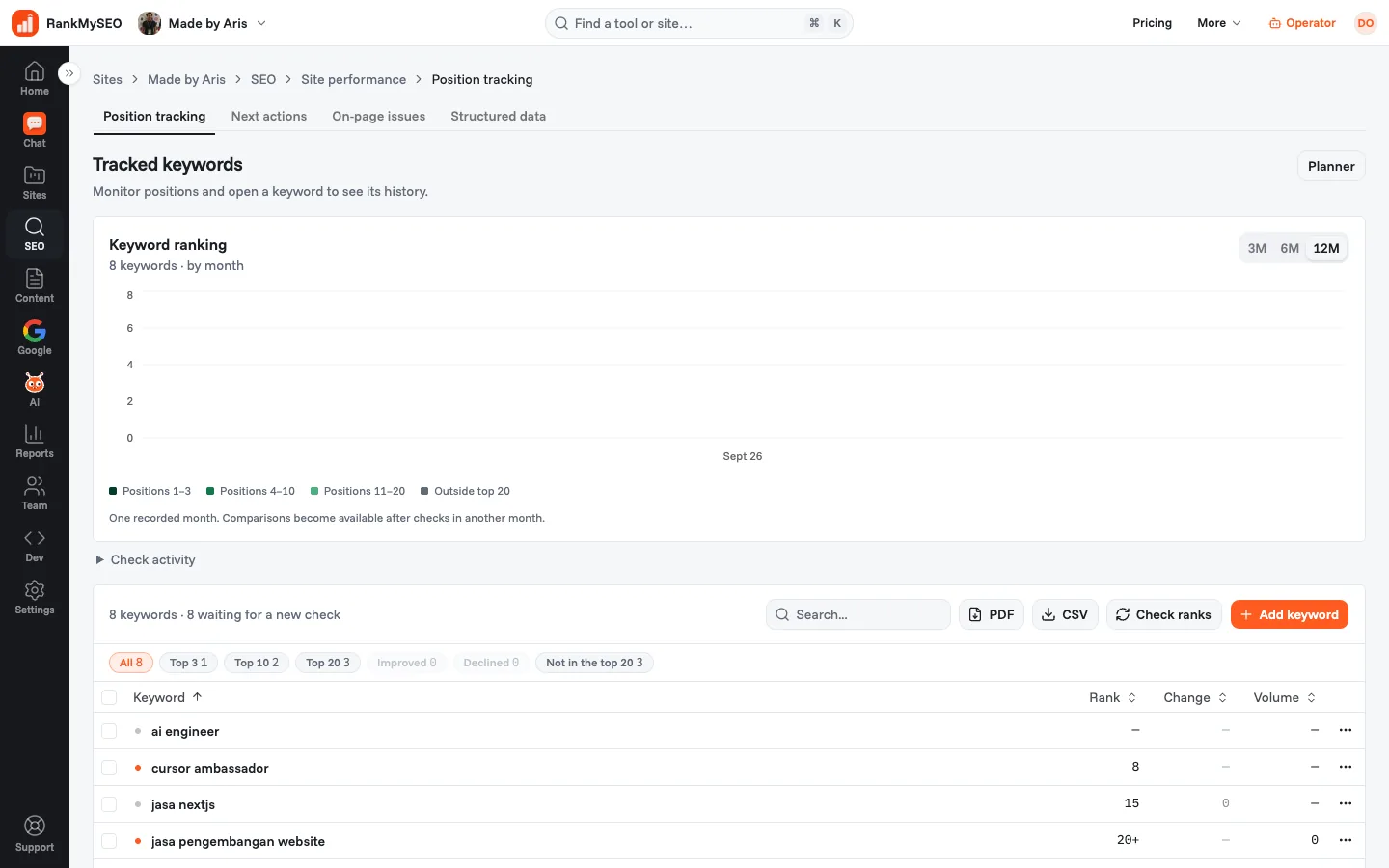
An owned-site dashboard capture from 11 October 2026, already available on RankMySEO's public site. The figures belong to madebyaris.com at that time; they are not current rankmyseo.com results. Some third-party names in public product captures are anonymized.
Which page are you expecting to find?
Choose the page before checking its position. If you keep changing the keyword without recording which page should appear, your next search is difficult to compare with the previous one.
Write down a product or service that customers need to find. Give each keyword an intended page before adding it to your tracking list. You can then check whether Google shows the page you expected.
For example, an air-conditioning repair business in Bandung might choose servis ac bandung and its service page. This is an illustration of keyword selection, not a search-volume estimate or a measured ranking. A city name in the keyword does not make the tool check from that city.
Read the intended page. Does it explain the service, coverage area, and how to contact the business? If there is no suitable page, record that content work first. Use the keyword selection guide if the starting list is still too broad.
Check whether Google is already showing the page
If you have Search Console access, open the correct site's Performance report and choose a date range. Then:
- Open Queries.
- Select a query relevant to your business page.
- Open Pages to see which URLs Google showed.
- Record clicks, impressions, and Average position, along with the filters used.
Selecting a query and then opening Pages follows Google's report instructions. Filter by country or device when investigating that particular group of searches.
Average position summarizes recorded appearances. Your own search can show a different position because its context differs. Google's measurement guide explains how position is counted.
Keep the source and period beside each number. A Search Console average and one tracker observation do not need to match exactly. This report helps you distinguish pages with recorded impressions from pages absent from the report you are viewing.
Keep a record for the next time you check
You need the previous result when you return to check again. Add your site in RankMySEO, then open Position tracking. In the dashboard reviewed for this article, Add keyword opens a form with Keywords, Country, and Language fields. The form's save button reads Add keywords.
Enter the keywords and check the market settings before saving. Do not assume the defaults match your intended audience. The owned-site data examined for this article contains both us/en and id/id keyword rows within one site.
Wait for a collected result. Check ranks requests a check; clicking it does not make a new position available immediately. Open a keyword row to read its history and ranking URL. Check the observation date, especially when the status says an update is needed.
RankMySEO checks the first 20 Google organic results by country and language. It does not provide city-level checks or a separate mobile-position report. The rank tracker page explains coverage; the keyword ranking guide covers the repeatable-record method in more detail.
Read a position, 20+, and a missing result differently
A number such as 8 is the position in a saved check. 20+ means the site was not found among the first 20 organic results checked. It does not establish whether the position was 21, 60, or absent from a wider result set.
For a keyword with no collected check, — means the position is not available yet. Do not record it as zero or describe it as a ranking loss. Read the check status alongside the position column.
If a page is not found, inspect the intended URL and whether it is accessible. Search Console's URL Inspection can help check the URL's status; see Google's instructions. Absence from the tracker's measured range does not by itself establish an indexing problem.
An example from RankMySEO's own site
These two records were retrieved through the RankMySEO MCP on 17 October 2026. The table gives the time of each check, rather than the article's preparation time.
| Keyword | Country / language | Check time, UTC | Result |
|---|---|---|---|
| daily rank tracking | United States / English (us/en) | 16 October 2026, 10:29 | Position 14; recorded URL path /blog/best-rank-tracking-tool |
| cek ranking website | Indonesia / Indonesian (id/id) | 16 October 2026, 10:28 | Outside the first 20 results; no ranking URL |
These are different search markets. Comparing the rows would not establish that the site performs better in the United States than in Indonesia.
The saved history for daily rank tracking also records position 14 on 15 October. That is the same observed position on two dates. It does not establish a long-term trend or show that an article edit caused the result.
The first keyword has a position and URL we can check against the intended page. For the second, we still need to investigate the intended page and its URL status before deciding to rewrite it. Each result gives us a different place to start.
How does this help you decide what to work on?
Return to the original question: should you revise the article or write another one? The ranking URL and its history help you identify what to inspect first. What you find during that review informs the content decision.
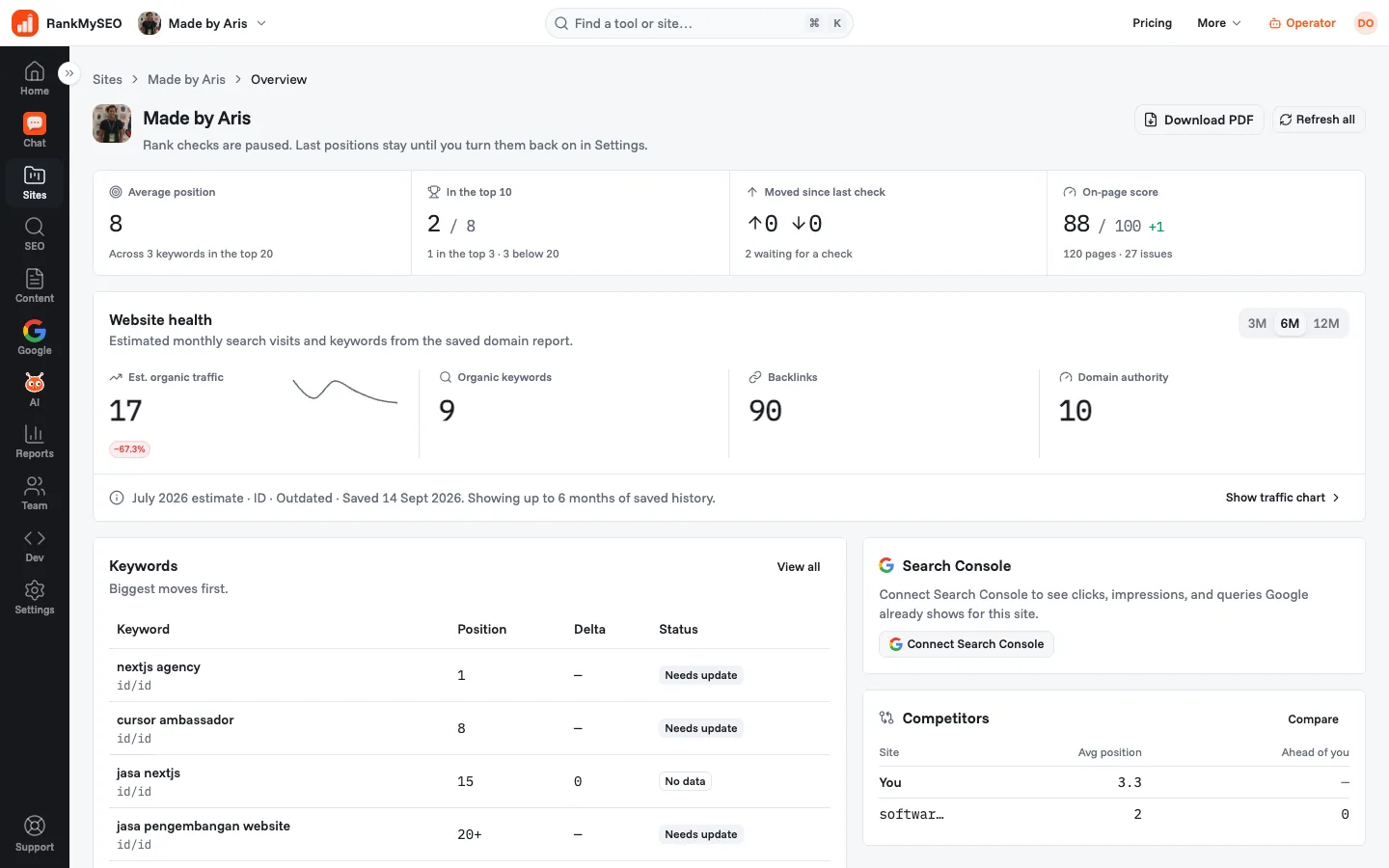
An owned-site capture from 11 October 2026. It includes outdated-data and paused-check labels. Use it to identify report sections, not to assess today's performance. Some third-party names in public product captures are anonymized.
In the capture, Website health identifies estimates from a saved domain report. Search Console appears separately. Do not read the estimated figure as a count of Google clicks or customers.
Choose the investigation that matches the observation:
| Observation | Next task | Decision it informs |
|---|---|---|
| A different URL ranks from the intended page | Read both pages and review how each answers the keyword | Which page to review before creating more content |
| Position changes across comparable checks | Review page-change dates and the results appearing for the keyword | Which changes need further investigation |
| Impressions grow while clicks stay flat | Inspect queries, URLs, and positions before rewriting the title | Whether the title needs a review after checking the search context |
| Visits increase while enquiries stay flat | Test the contact route and its measurement in business reports | Whether the form or enquiry tracking has a problem |
Google distinguishes search performance from activity on your site. Rank tracking alone does not establish that a form was submitted or a sale occurred.
Have a record ready for your next check
Choose one business page you want to review and a relevant keyword. Save the country and language, then read the first available result. When you check again, use that record to see what changed and choose your next task.
Start tracking your site's keywords.
Free includes 1 site, 3 keywords, weekly checks, and 14 days of history. See the plan page for capacity details. Adding keywords starts a record; it does not guarantee better positions or more customers.
Sources
- Google: Performance report tasks
- Google: impressions, position, and clicks
- Google: URL Inspection
- Google: Search Console and Analytics
- Owned-site example: RankMySEO MCP
list_keywordsandkeyword_history, retrieved 17 October 2026. Check dates are listed in the table.
Keep reading